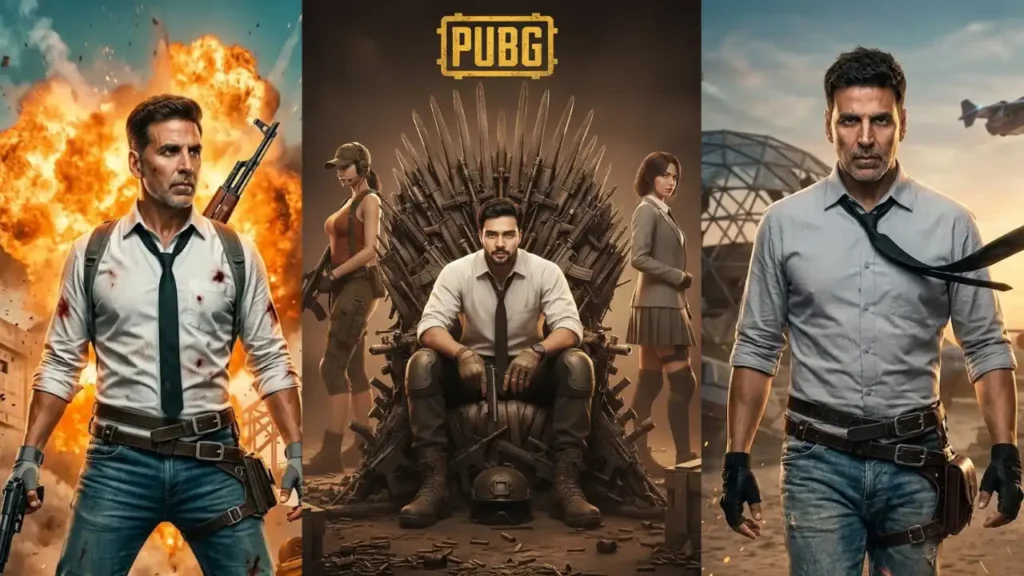
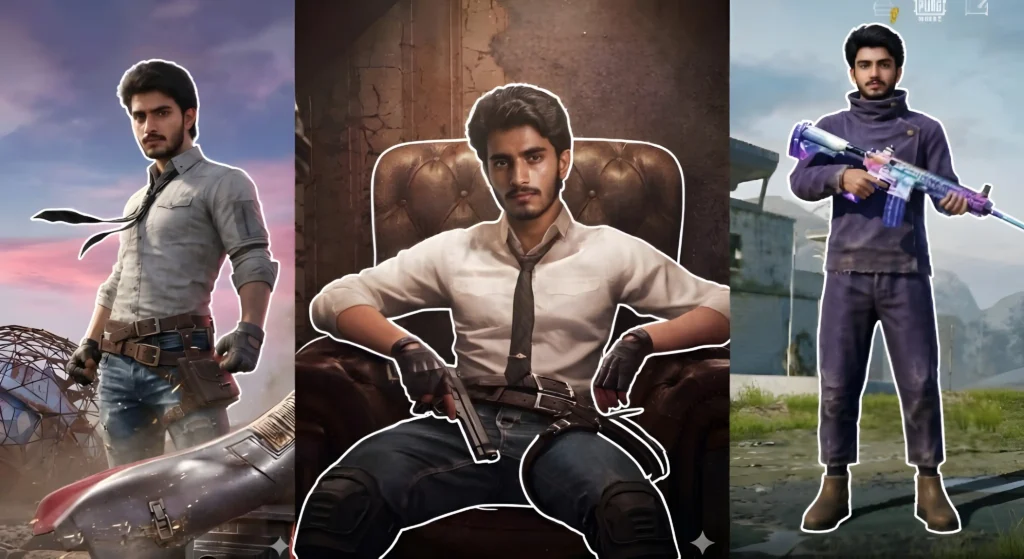
Earlier I provided some basic PUBG prompts that didn’t had much control over realism. So, today I’m giving you some of the most epic/needed Gemini PUBG prompts that you can use to create some of the most iconic shots of this legendary game including your PUBG Lobby along with preserving your stat.
Please follow the tutorial properly to generate correct images without any mistakes. These images require a 2 prompt process. One which is present with the image and other is needed to bring them to life.
1. Standing PUBG Character – Realistic Live Action
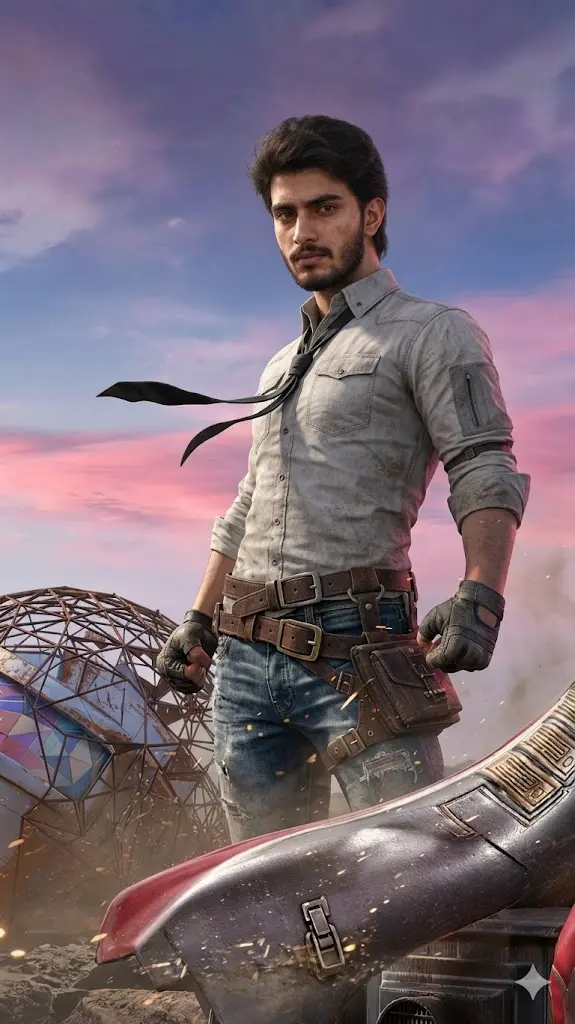
Remove the helmet from the main character in the source image and replace it with the uploaded user face. Maintain the exact head angle, neck position, and body posture without any change. Convert the overall look into a realistic live-action style while preserving original lighting, shadows, environment, and cinematic depth. Match the face lighting precisely so it blends naturally into the scene. Keep outfit, accessories, background, and all elements exactly the same. Ensure the user face looks photorealistic with natural skin texture, pores, and lighting consistency. Do not stylize or cartoonize the face. Strictly do not modify anything except helmet removal and face replacement. The final result must look like a real-life cinematic poster featuring the user.
 Copy
Copy Edit
Edit2. (Sitting Chair PUBG Character – Realistic Live Action
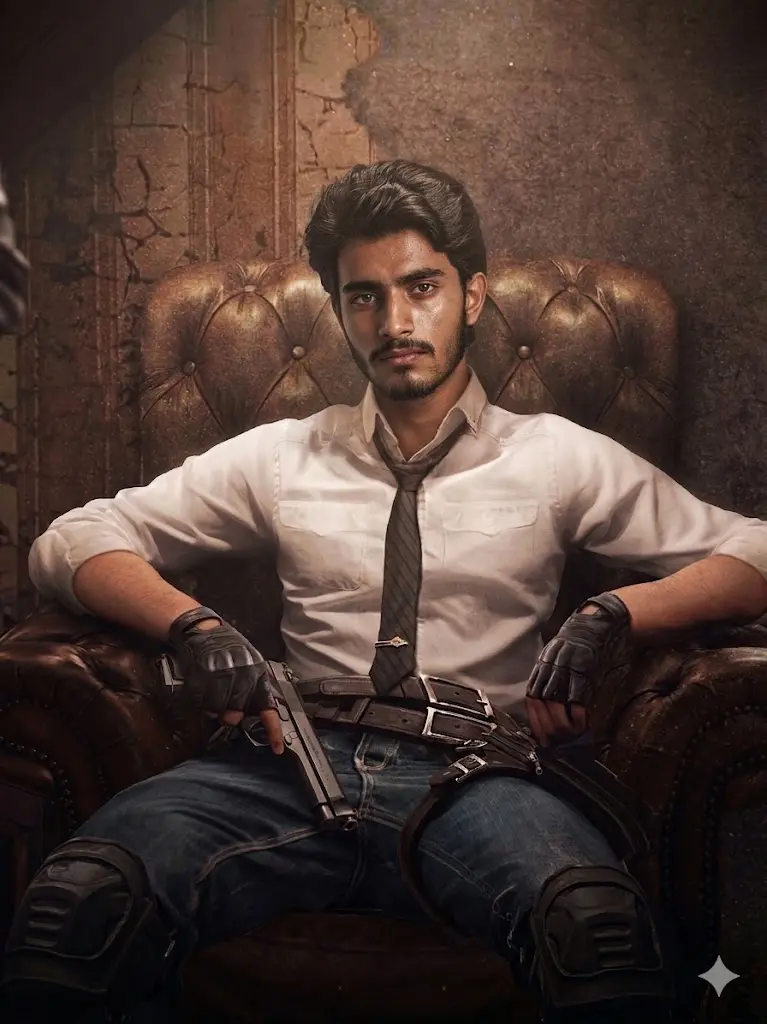
Remove the helmet from the main character in the source image and replace it with the uploaded user face. Maintain the exact seated posture, head position, and perspective without any change. Convert the image into a realistic live-action cinematic style while preserving lighting, shadows, textures, and background details exactly as in the original. Match reflections, highlights, and shadows on the face precisely for natural blending. Keep outfit, gloves, weapon, chair, and environment unchanged. Ensure the face appears highly realistic with natural skin details and no artificial smoothing. Strictly do not modify anything except helmet removal and face replacement. The final output must look like a real cinematic portrait of the user.
3. Running PUBG Scene – Improved Realistic Control
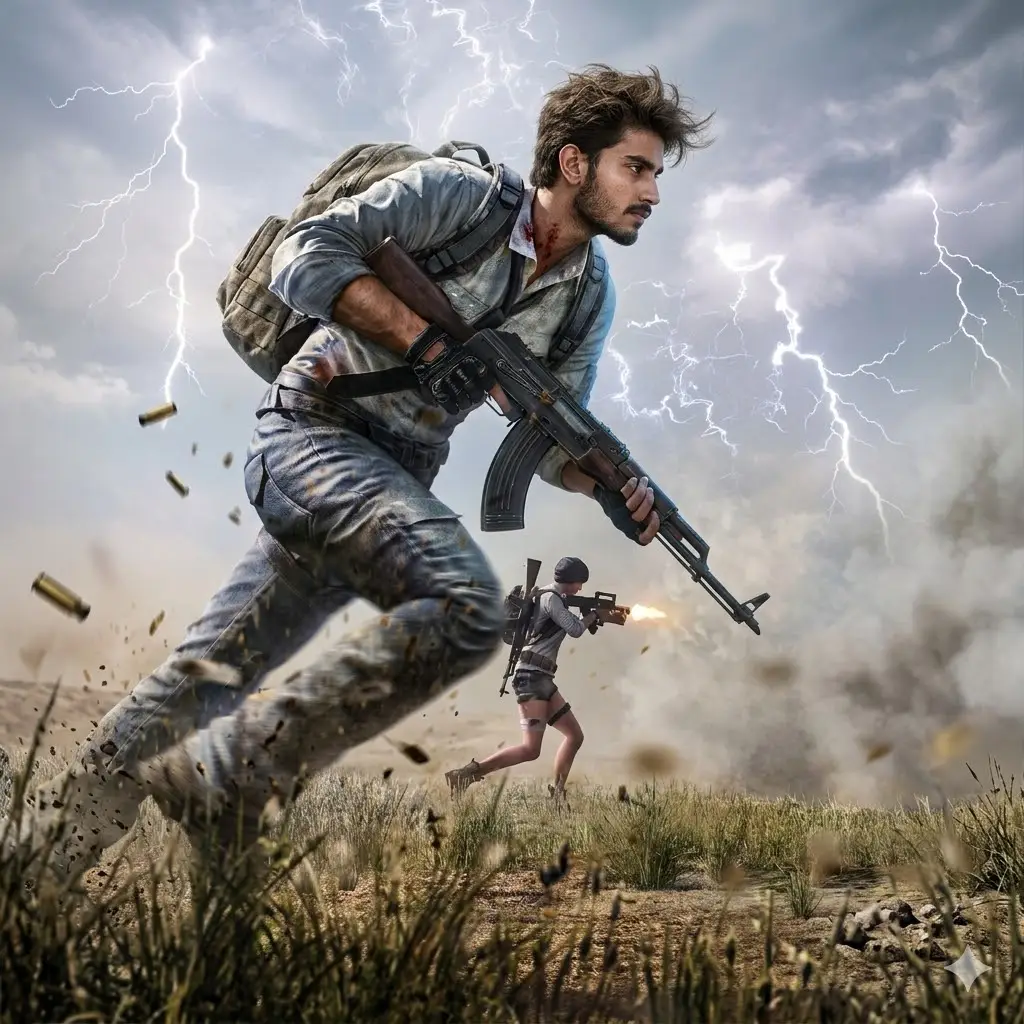
Remove the helmet from the main character in the source image and replace it with the uploaded user face. Maintain the exact running pose, head angle, and body perspective without any change. Convert the overall look into a realistic live-action style while preserving original motion blur, lighting direction, shadows, and environmental depth exactly as in the source. Match the face lighting precisely so it blends naturally into the fast-moving scene. Ensure the face follows the same motion consistency and blur level as the original head. Keep outfit, weapons, background, and all elements exactly the same. Ensure the user face is photorealistic with natural skin texture and no stylization. Strictly do not modify anything except helmet removal and face replacement. The final result must look like a real cinematic action shot featuring the user.
4. (Leaning PUBG Character + Car – Realistic
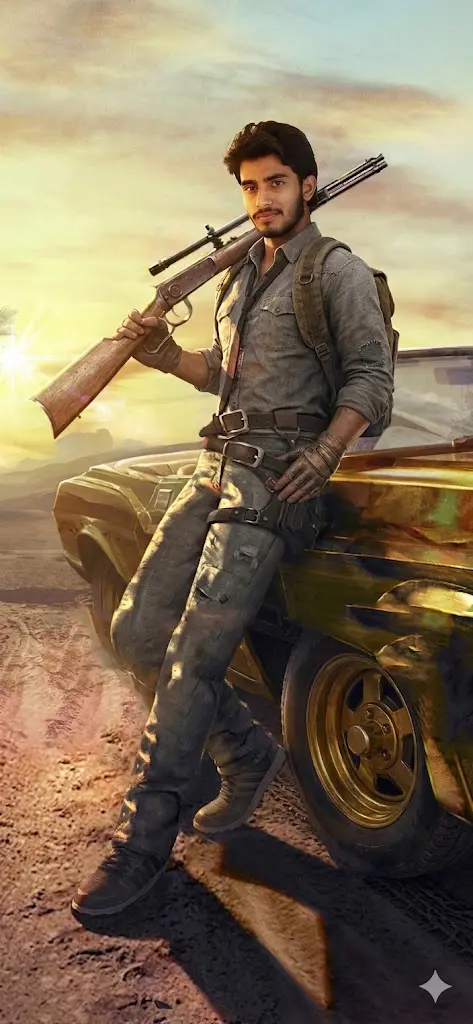
Remove the helmet from the main character in the source image and replace it with the uploaded user face. Maintain the exact head angle, body posture, and leaning position without any change. Convert the overall look into a realistic live-action style while preserving original lighting, sunset color tones, shadows, reflections on the car, and cinematic depth exactly as in the source. Match the face lighting precisely so it blends naturally into the environment. Keep outfit, weapon, car, and all background elements exactly the same. Ensure the user face is photorealistic with natural skin texture and no stylization. Strictly do not modify anything except helmet removal and face replacement. The final result must look like a real cinematic poster featuring the user. Also complete the right leg that has disappeared
5. PUBG Lobby Screen – UI Strict Preservation
Note: You can use your own lobby image with your source image.
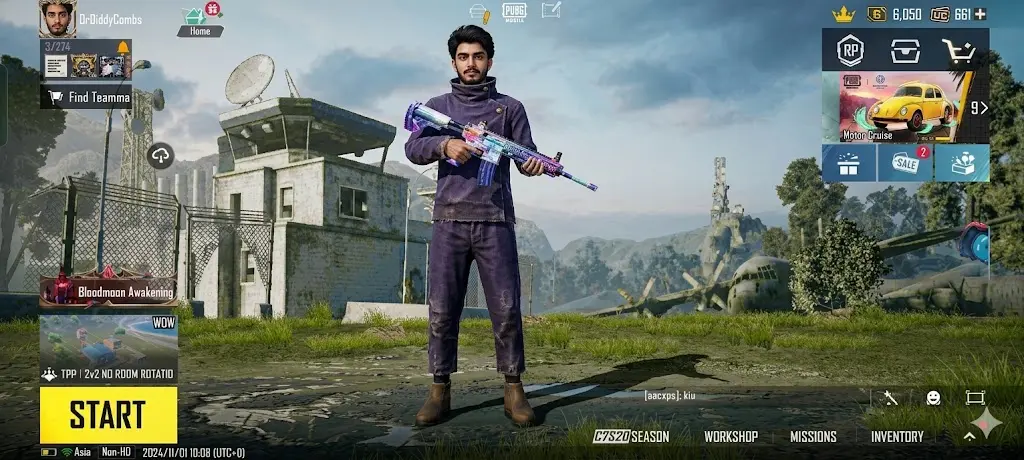
Replace only the face of the main character in the source image with the uploaded user face. Maintain the exact body posture, camera angle, and perspective without any change. Preserve the original in-game UI, including all text, buttons, icons, labels, stats, names, and background details exactly as they are. Do not alter, remove, or modify any interface elements under any condition. Match the face style to the in-game character rendering so it blends naturally while keeping facial identity recognizable. Do not convert into realistic style. Keep outfit, weapon, environment, and UI layout exactly the same. Strictly do not modify anything except the face. The final result must look like the same game screen with only the character’s identity changed.
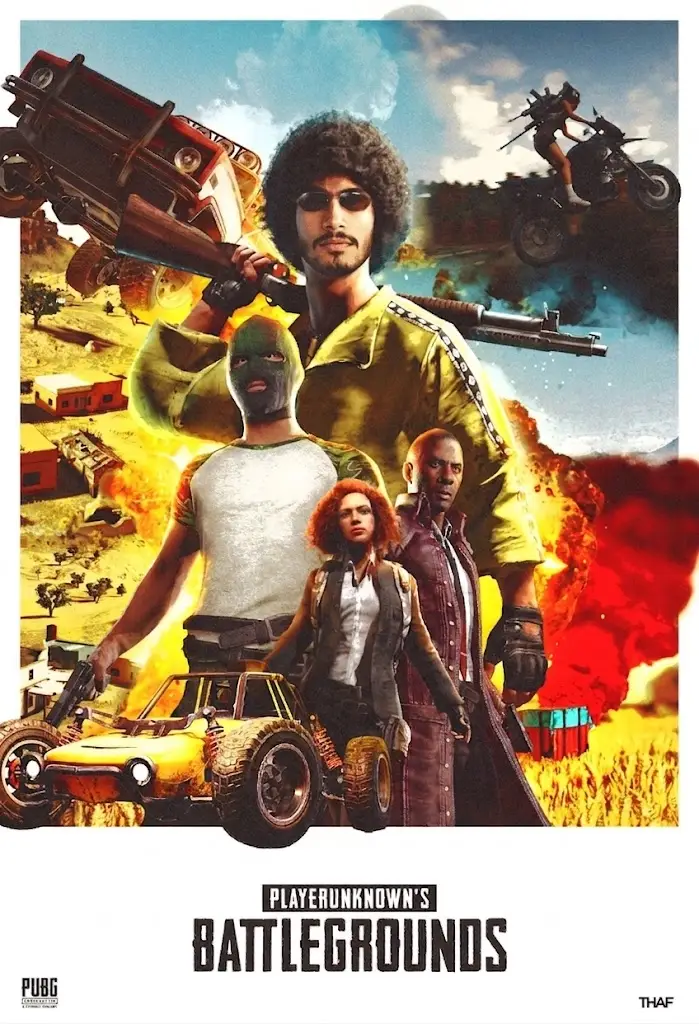
6. Stylized PUBG Poster – Multi Character Scene
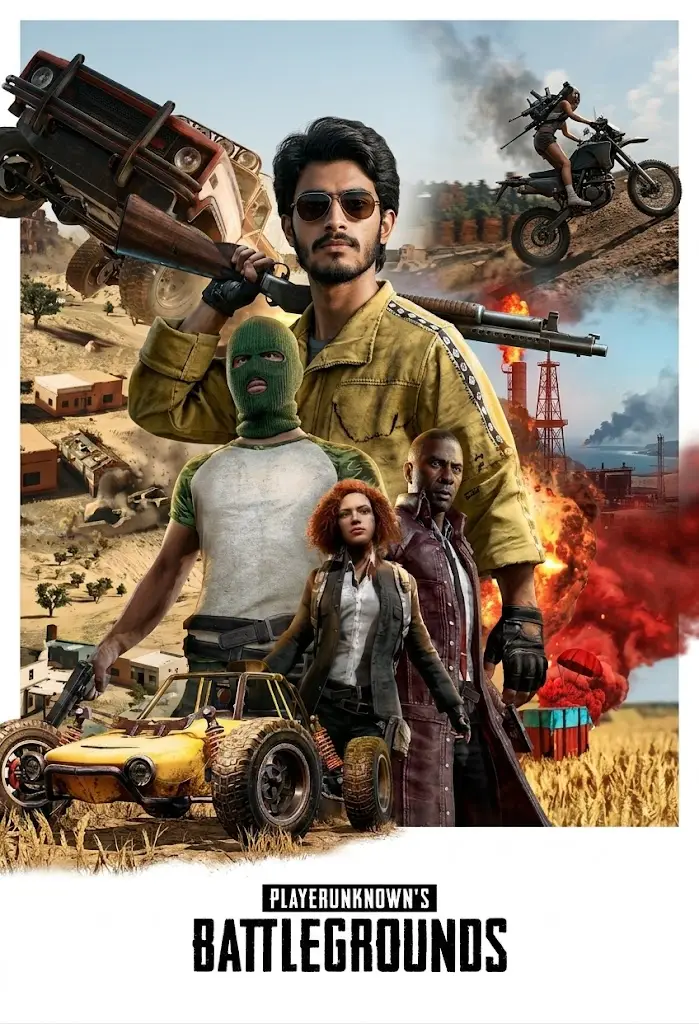
Now transform all the elements of this image to ultra realistic live action poster with real life realism. This should include all the elements from fabric to user’s face, vehicle(if any) and background element. Don’t change location, angle, position of any element, keep them as it is just add photorealistic realism. The texture of fabric should be realistic and rough not smooth reflecting light naturally. Don’t include any text or any element in the background or foreground that is not in the source image. Also don’t change the aspect ratio.
7. PUBG Profile Screen – UI & Stats Locked
Note: You can use your own profile stats image with your source image.
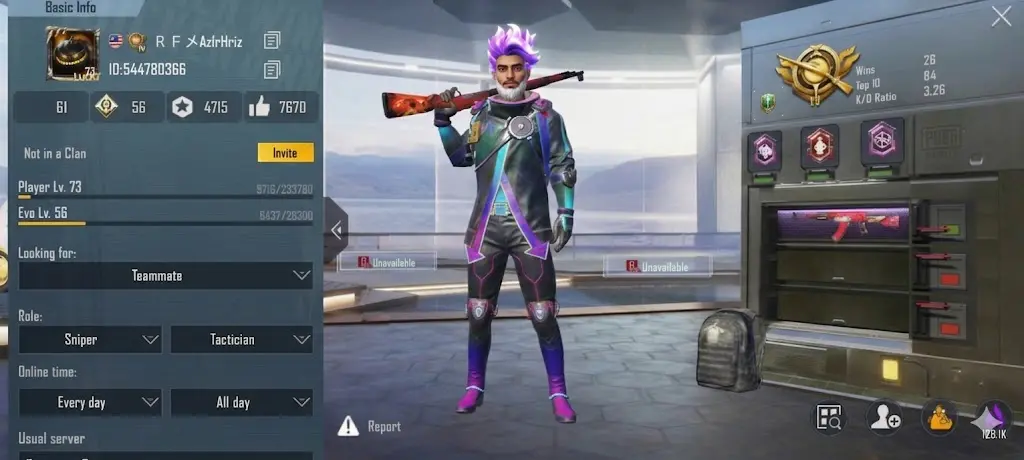
Replace only the face of the main character in the source image with the uploaded user face. Maintain the exact pose, body alignment, and perspective without any change. Preserve all profile details including player name, ID, stats, ranks, icons, text, and interface elements exactly as in the original. Do not change, edit, or regenerate any text or numbers. Match the face to the stylized in-game character appearance while keeping identity intact. Do not convert into realistic style. Keep outfit, weapon, background, and UI design exactly the same. Strictly do not modify anything except the face. The final result must look identical to the original screen with only the character’s face replaced.
How to Use These Prompts (Step-by-Step) Do Not Skip ⚠️
Step 1: Choose the Right Face Image
Pick a user face that matches:
- Head angle (front, side, tilt)
- Lighting direction
- Expression (neutral works best)
👉 This is the most important step for realistic output.
Step 2: Select Your PUBG Image and download it as source image
Step 3: Upload Images
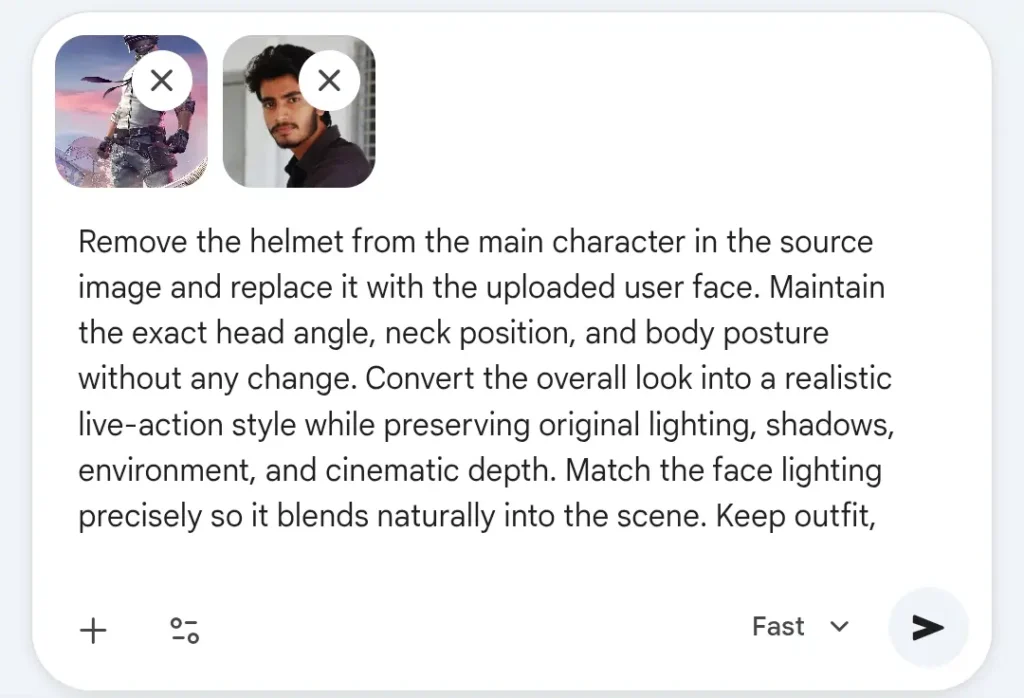
You need:
- PUBG source image
- User face image
Step 4: Paste the Prompt
Use the exact prompt without changing wording too much.
👉 These prompts are strict by design — small changes can break results.
Step 5: Generate & Adjust
If result is not perfect:
- Change face image (not prompt)
- Match angle better
- Try neutral lighting
To further enhance the realism of these prompts to real life, use this prompt in the same chat after generating any of the above image:
2nd Process Prompt: Animation To Realism
Now transform all the elements of this image to ultra realistic live action poster with real life realism. This should include all the elements from fabric to user’s face, vehicle(if any) and background element. Don’t change location, angle, position of any element, keep them as it is just add photorealistic realism. The texture of fabric should be realistic and rough not smooth reflecting light naturally. Don’t include any text or any element in the background or foreground that is not in the source image. Also don’t change the aspect ratio.
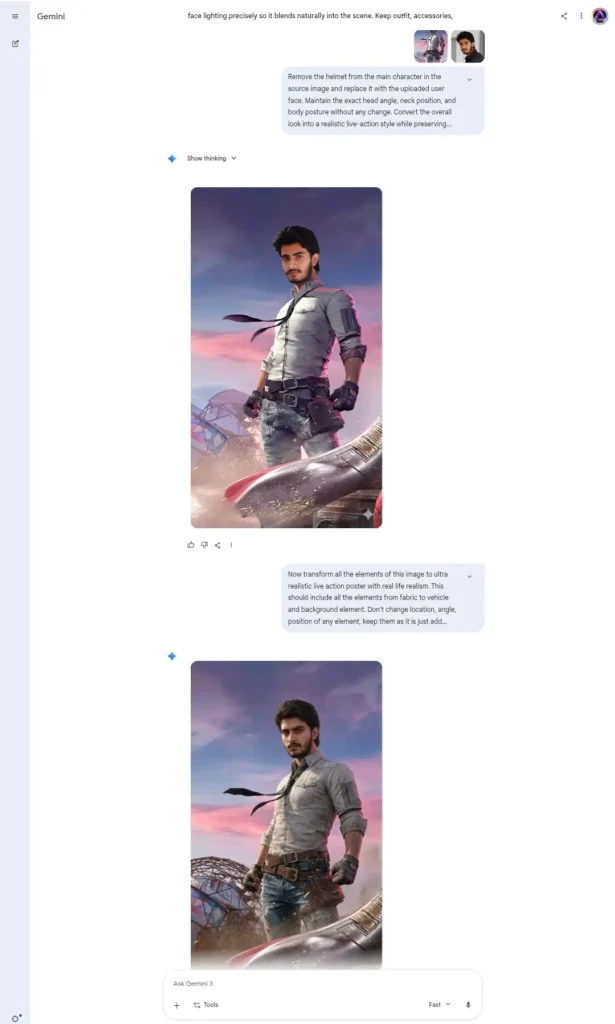
Here are few examples so that you can understand that this is what may happen if you skip this prompt:
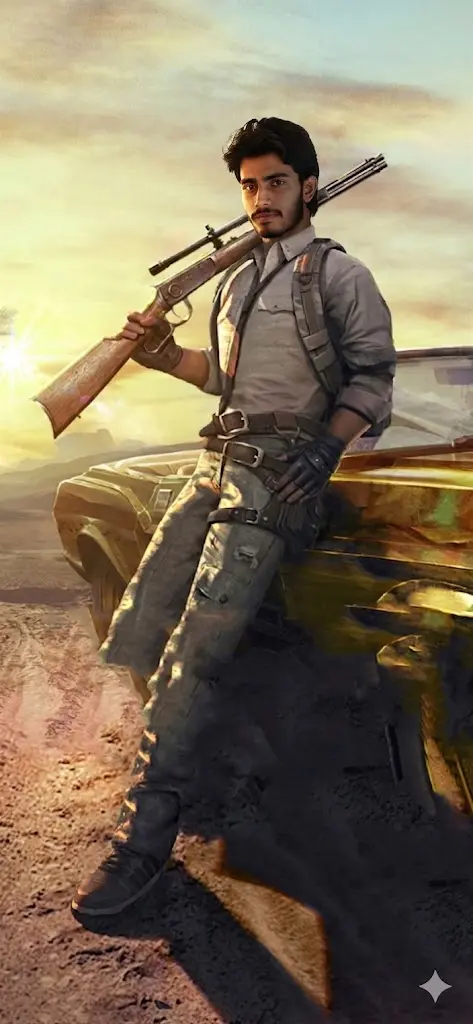
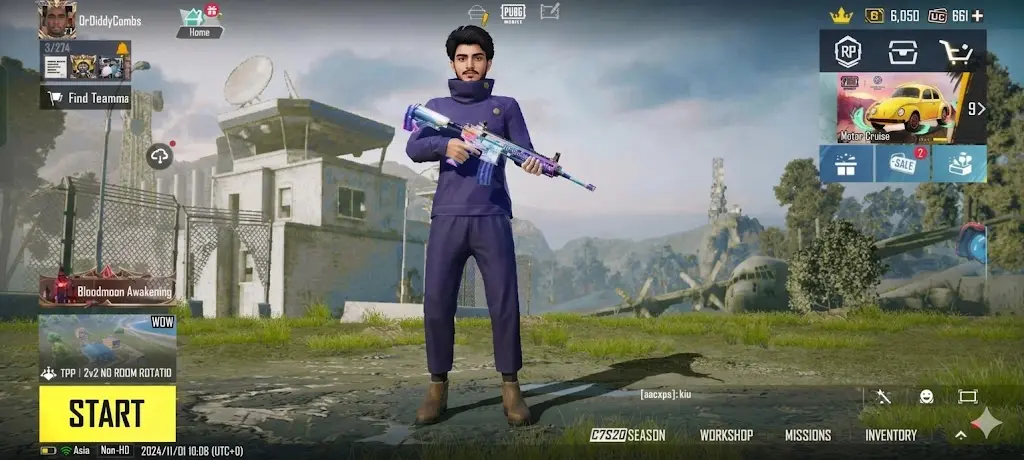
Please note editing too much in the same chat can increase chances of errors
Can I Use My Real PUBG Lobby Image?
Yes, you can use your real PUBG lobby screenshot but you must use a UI-safe prompt.
Because lobby images contain:
- Buttons
- Icons
- Player name
- Menu elements
👉 Without strict instructions, AI may:
- Change UI layout
- Remove buttons
- Modify text
With the correct prompt: ✔ Everything stays exactly the same
✔ Only the face is replaced
Can I Use My PUBG Profile Stats Image?
Yes, and this is one of the best use cases 🔥
You can use:
- Profile screen
- Stats page
- Rank screen
But again, you must use a strict UI-preservation prompt
👉 This ensures:
- Player name stays same
- ID stays same
- Stats and numbers remain unchanged
- Icons and badges remain original
⚠️ Will Any Text Be Changed?
👉 Short answer: No, if you use the correct prompt
Your prompts already include instructions like:
- Do not modify text
- Do not change stats
- Do not alter UI
So: ✔ Names stay same
✔ Numbers stay same
✔ Layout stays same
❌ If you skip these instructions → AI may rewrite or distort text
Can I Make It Look Game Style Instead of Realistic?
Yes, but only for selected images. Just change all the ‘realistic’ words to ‘PUBG game style’ but do NOT mix both styles in one prompt, It will confuse the AI and ruin output.
5 Do’s
✔ Always match face angle with character
✔ Avoid selfies with filters
✔ Use high-resolution images
✔ Helmet images need similar face framing
✔ For UI images, always lock text and stats
About The Author