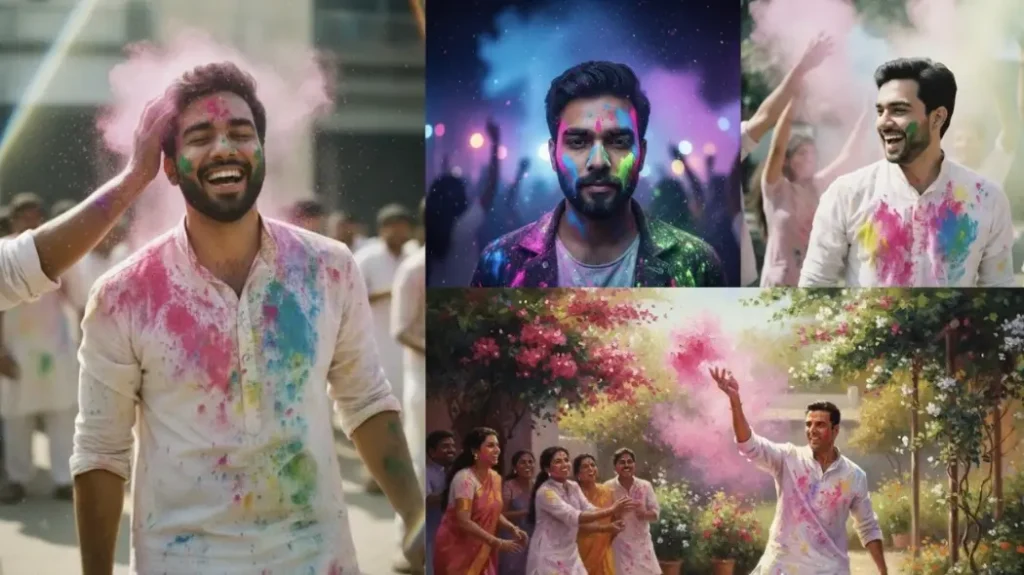
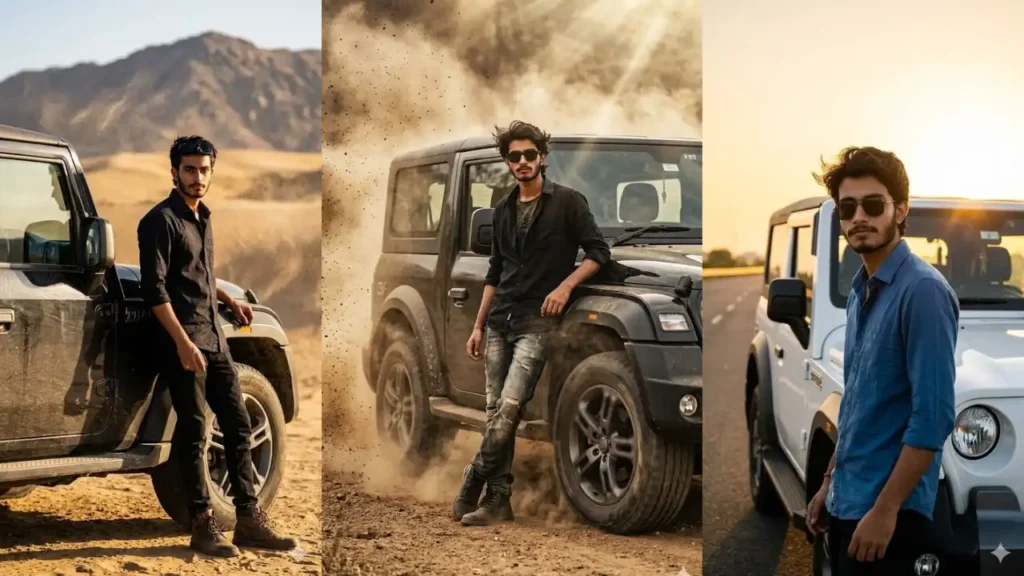
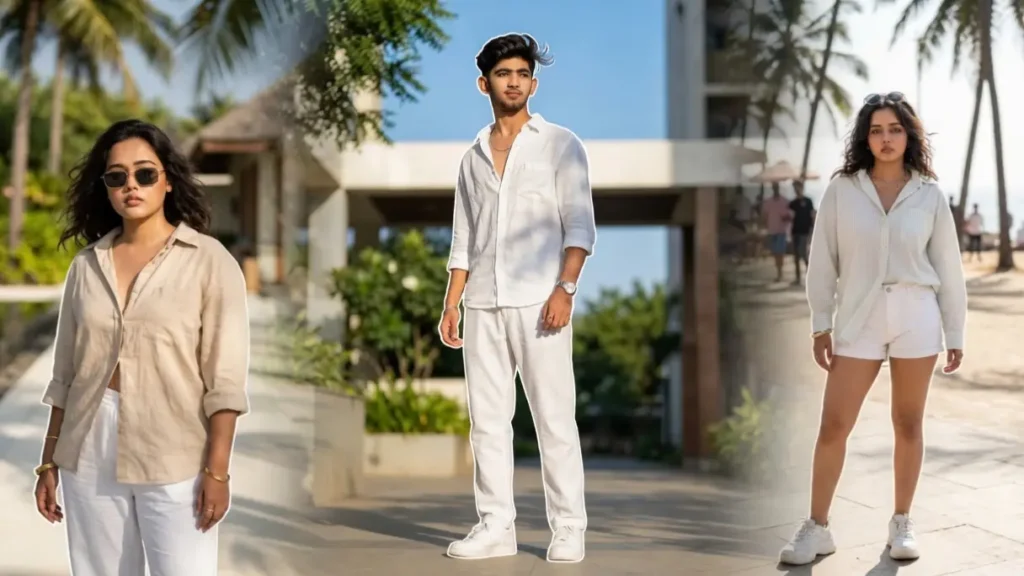
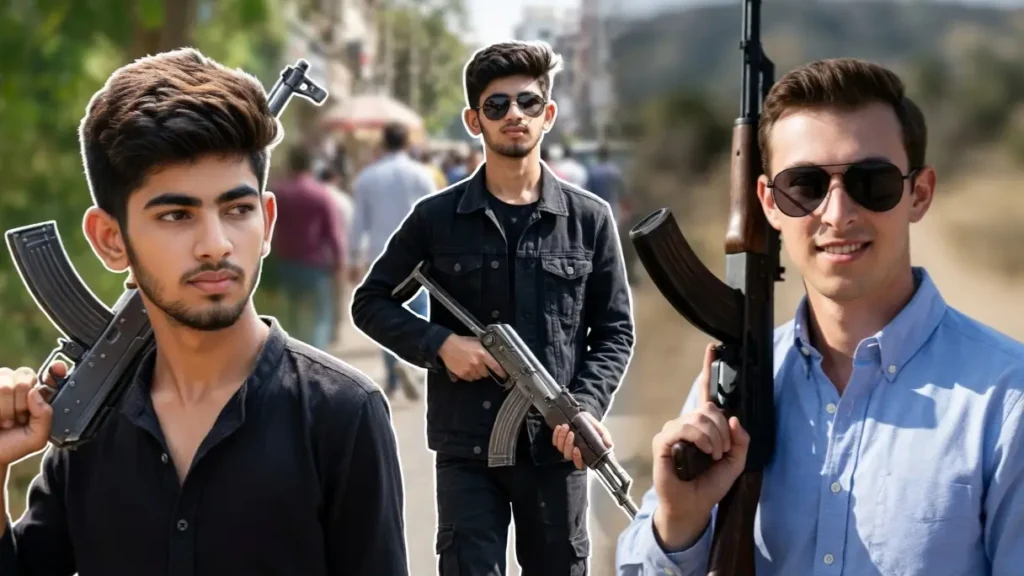
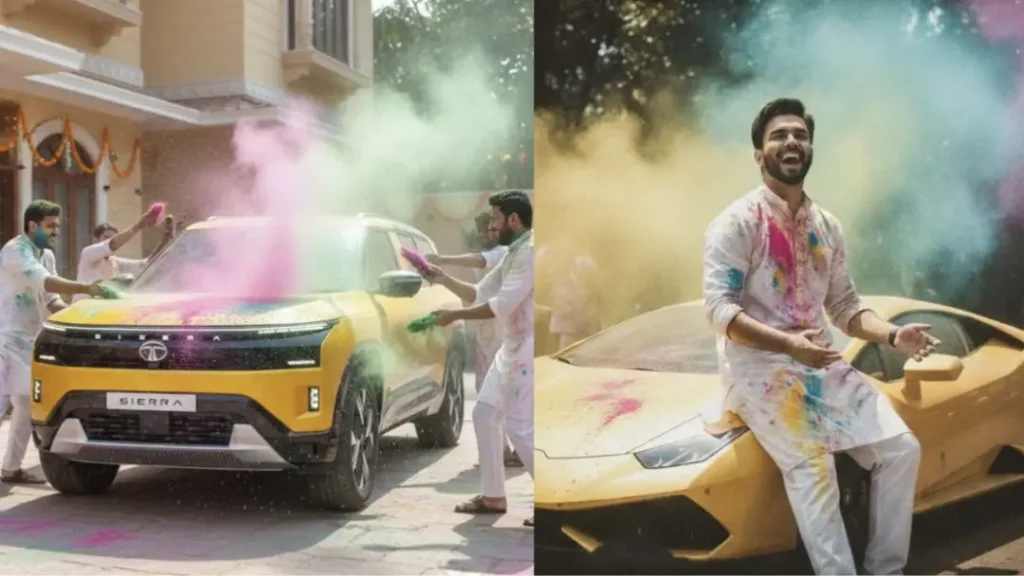
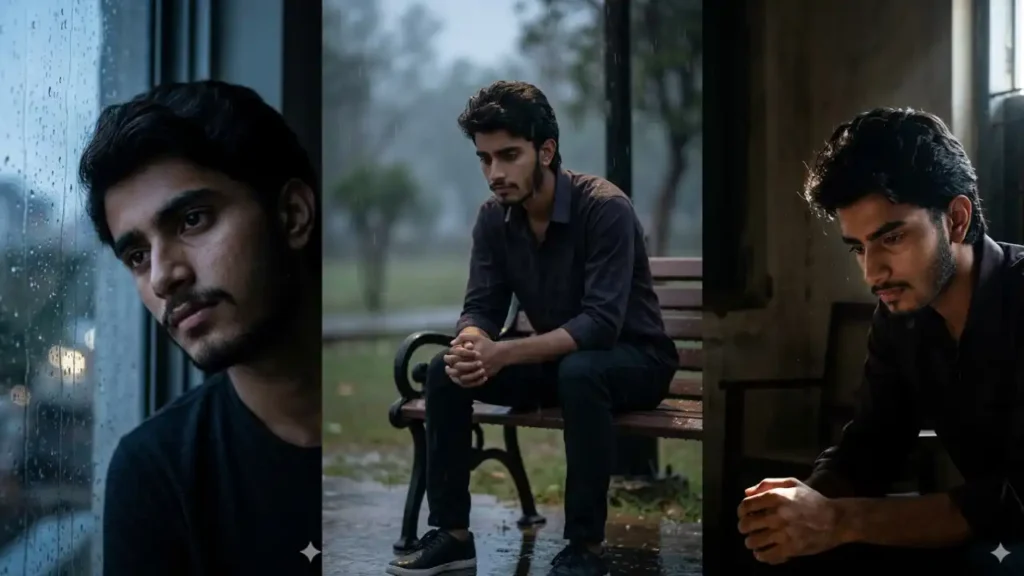
Simple photos don’t grab attention anymore: people are now turning their everyday pictures into high-quality cinematic portraits using AI.
With the right Gemini prompts, you can transform your normal image into something that looks professionally shot, styled, and edited.
These prompts are not just random effects. They are carefully designed to preserve your real face while changing the environment, lighting, mood, and overall personality of the image.
Whether you want a calm aesthetic vibe, a bold attitude look, or a creative artistic portrait, everything can be controlled through small changes in the prompt.
The best part? You don’t need editing skills. Just upload your photo, paste the prompt, and Gemini will create a realistic, high-end portrait version of you that stands out instantly on social media.
Purple Focus Anime Street Poster Prompt (Use ChatGPT for better results)

Transform the uploaded user photo into an ultra realistic anime-inspired futuristic streetwear poster while preserving the user’s exact identity perfectly including hairstyle, facial structure, skin texture, expression, jawline, and body proportions with 100% facial accuracy.Create a futuristic fashion composition where: • The user wears a white oversized tactical hoodie jacket with purple graphic accents and backpack straps• The pose should be relaxed with hands in pockets while slightly looking back toward the camera• Background must feature white and black abstract brush strokes with vibrant purple paint splashes and halftone comic textures• Add huge vertical purple typography on the left side saying “FOCUS” in bold futuristic block font• Include small modern typography elements: “BELIEVE IN YOUR FUTURE” “LIMITLESS” “ESTD MMXX” • Add minimal Japanese text and futuristic graphic shapes across the poster• Maintain anime-inspired semi realistic rendering with sharp linework and soft gradientsLighting: • Clean studio lighting• Purple neon reflections• High contrast shadows• Smooth skin rendering• Graphic novel shadingStyle: • Anime streetwear poster• Futuristic youth branding• Japanese urban aesthetic• Purple cyber fashion vibe• Modern graphic design posterAspect ratio 3:4, ultra detailed, semi realistic anime fashion style, premium poster composition.Add “geminiaiprompt.online” as a small watermark at the bottom-left corner, thin elegant cursive strokes, soft white color, subtle premium handwritten signature style, slight transparency, blends naturally into the image.
 Copy
Copy Join
JoinLuxury Streetwear Portrait With Customized Flame Muscle Car

Create an ultra realistic luxury street-style portrait featuring the uploaded user standing confidently in front of a customized vintage black muscle car with aggressive orange flame graphics painted across the hood and side panels exactly like a premium tuner-car aesthetic. Preserve the user’s exact real facial identity perfectly including face shape, curly hairstyle with blonde highlighted tips, beard details, skin texture, jawline, expression, body proportions, and natural appearance with 100% facial accuracy.Maintain the exact same confident street pose with the user leaning slightly forward toward the camera, one hand touching the lips thoughtfully, and the other hand relaxed near the thigh. Keep the exact same facial expression with calm confident eyes and luxury influencer attitude. Preserve the same body stance, leg positioning, posture, and close-up wide-angle perspective exactly like a viral Instagram luxury-car photoshoot.The user should wear a premium black oversized hoodie with luxury streetwear aesthetics, layered gold chains, stylish transparent glasses, rings on fingers, casual shorts, white sneakers, and rich fashion-accessory styling exactly matching the original vibe.Recreate the exact same cinematic luxury mansion driveway environment with detailed stone pavement flooring, huge premium stone house architecture, green trees, open gate entrance, and upscale residential atmosphere in the background. Preserve the exact same fisheye-style wide camera angle from slightly above eye level to create dramatic perspective distortion around the car and environment.Maintain ultra vibrant HDR-style color grading with intense contrast, crisp sharpness, realistic daylight reflections, rich greenery tones, premium skin lighting, luxury street-photography aesthetics, and detailed textures throughout the image. Preserve the exact same customized flame artwork on the car with glossy reflections, vivid orange-red fire graphics, black paint finish, and aggressive tuner-car styling. Add subtle social-media-style clarity, premium cinematic saturation, and realistic outdoor lighting to create a viral luxury lifestyle portrait with ultra realistic details and authentic influencer aesthetics.Aspect ratio 3:4. Add “geminiaiprompt.online” as a small watermark at the bottom-left corner, thin elegant cursive strokes, soft white color, subtle premium handwritten signature style, slight transparency, blends naturally into the image.
Built Different Motivation Collage Prompt

Transform the uploaded user photo into an ultra realistic motivational lifestyle collage poster while preserving the user’s exact real identity perfectly including face shape, hairstyle, beard details, skin texture, expression, and body proportions with 100% facial accuracy.Create a scrapbook style collage poster where: • Multiple versions of the user appear in different productivity activities: • Sitting thoughtfully looking upward• Working on laptop• Drinking coffee• Holding professional camera• Outfit should remain cozy neutral tones with denim jacket and cream sweater aesthetic• Background should feature beige paper textures, notebook scraps, ripped paper layers, handwritten notes, stamps, tape textures, and productivity graphics• Add huge editorial typography: “BUILT DIFFERENT” • Include motivational handwritten notes: “discipline today, freedom tomorrow” “focus is my superpower” “creating my own story” • Add checklist paper: “wake up” “focus” “create” “repeat” • Include realistic paper shadows and vintage scrapbook texturesLighting: • Warm neutral cinematic tones• Cozy productivity atmosphere• Soft golden highlights• Matte vintage grading• Editorial depthStyle: • Productivity vision board aesthetic• Pinterest self improvement collage• Vintage scrapbook editorial• Motivational lifestyle branding• Ultra detailed paper texturesAspect ratio 3:4, ultra realistic, motivational collage poster, premium Pinterest aesthetic.Add “geminiaiprompt.online” as a small watermark at the bottom-left corner, thin elegant cursive strokes, soft white color, subtle premium handwritten signature style, slight transparency, blends naturally into the image.
Realistic Face With Futuristic Techwear Illustration Aesthetic

Create an ultra detailed futuristic streetwear portrait featuring the uploaded user walking confidently toward the camera in a bold urban runway pose. Preserve the user’s exact real facial identity perfectly with completely realistic human skin, natural facial texture, authentic eyes, realistic lips, beard details, jawline, hairstyle, and true-to-life facial proportions with 100% photorealistic accuracy. The face and exposed skin must remain fully realistic like a high-end DSLR fashion photograph while everything else transforms into a stylized illustration aesthetic.Maintain the exact same walking posture with one hand inside the pocket, relaxed arm movement, natural leg motion, and confident luxury streetwear attitude exactly like a premium techwear editorial campaign. The clothing should appear in a highly detailed anime-inspired futuristic illustration style with oversized layered streetwear including a loose black utility overshirt, oversized white inner t-shirt, tactical cargo pants with multiple pockets and hanging straps, premium illustrated sneakers, wrist accessories, and a hanging ID-card lanyard around the neck. Preserve exaggerated illustrated fabric folds, sharp angular wrinkles, tactical straps, oversized silhouettes, and graphic fashion detailing exactly like premium Japanese techwear concept art.Create a vibrant graffiti-inspired abstract background fully illustrated with aggressive yellow, orange, white, and black paint textures across the entire frame. Add chaotic brush strokes, ink splatters, scratched paint layers, stencil graphics, geometric elements, distressed poster textures, halftone patterns, spray-paint effects, futuristic symbols, layered urban graphics, and dynamic design chaos exactly like a luxury cyberpunk fashion illustration poster.Apply a hybrid mixed-media rendering style where only the face and skin remain ultra realistic while all clothes, accessories, background elements, shadows, textures, and artistic effects appear digitally illustrated. Blend realistic facial lighting naturally into the illustrated environment using cinematic contrast, dramatic highlights, premium editorial composition, and high-end cyber-fashion aesthetics. The final result should look like a luxury futuristic fashion poster combining realistic human identity with stylized anime-inspired streetwear illustration art.Aspect ratio 3:4. Add “geminiaiprompt.online” as a small watermark at the bottom-left corner, thin elegant cursive strokes, soft white color, subtle premium handwritten signature style, slight transparency, blends naturally into the image.
Graffiti Style Poster
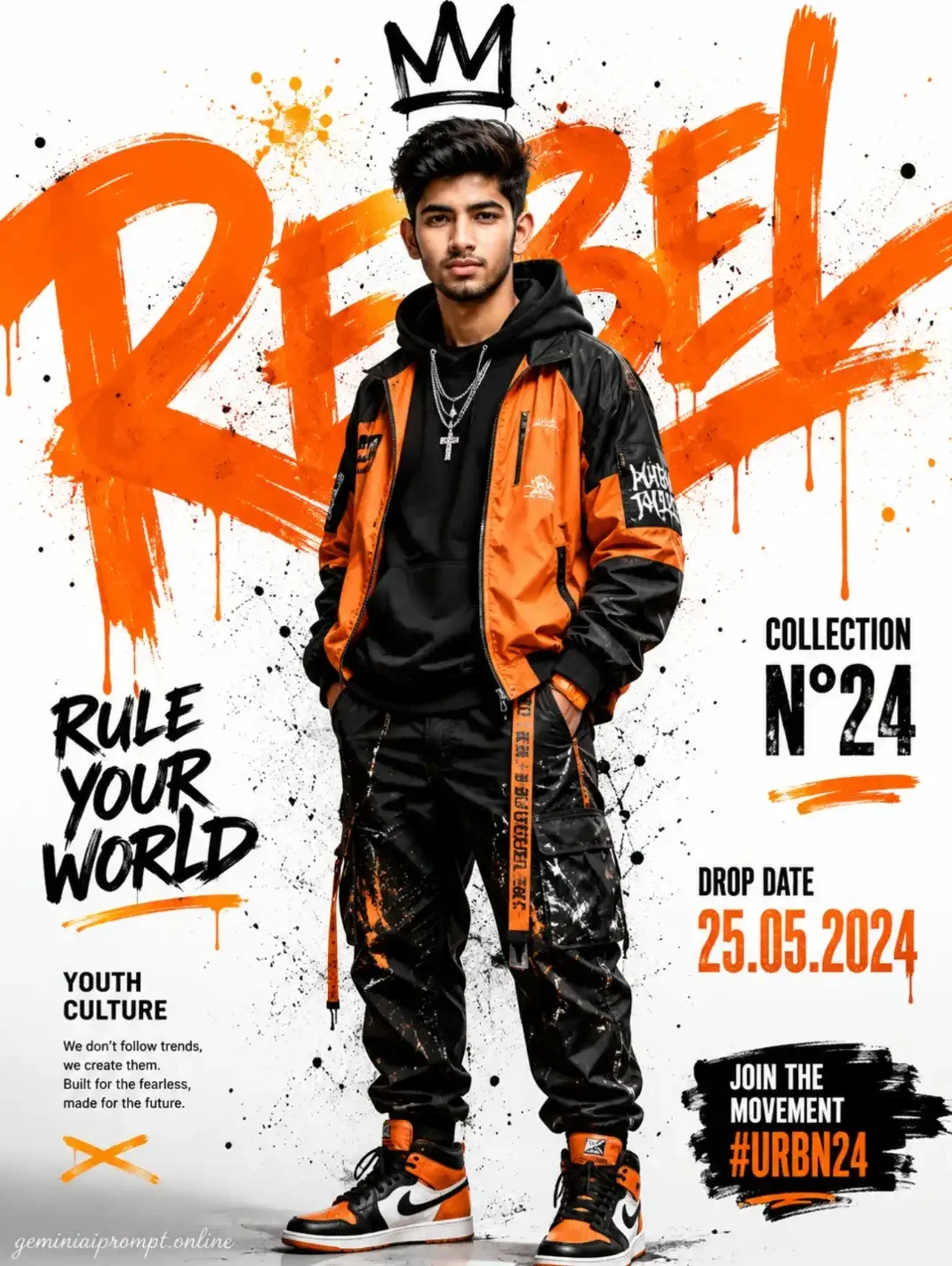
Transform the uploaded user photo into an ultra realistic high-fashion urban streetwear editorial poster while preserving the user’s exact real identity perfectly including face shape, hairstyle, skin texture, jawline, expression, body proportions, and natural appearance with 100% facial accuracy. Do not beautify or redesign the face.Create a bold urban fashion composition where: • The user stands confidently in the center with hands inside pockets• Outfit includes oversized orange and black streetwear jacket, black hoodie, cargo pants with paint textures, layered silver chains, and premium orange-black sneakers• Background should be bright white with huge orange graffiti brush typography behind the subject saying “REBEL” in massive hand-painted spray style• Add realistic orange paint drips, ink splashes, spray textures, and scattered black dots around the composition• Add black graffiti crown doodle above the user’s head• Add urban typography elements like: “RULE YOUR WORLD” “YOUTH CULTURE” “COLLECTION N°24” “DROP DATE 25.05.2024” “JOIN THE MOVEMENT #URBN24” • Maintain exact typography placements, rough paint textures, and editorial fashion magazine feelLighting: • Bright studio lighting• Sharp fashion shadows• High contrast clothing texture• Clean white backdrop with vibrant orange highlightsStyle: • Urban streetwear campaign• Graffiti editorial poster• Hypebeast fashion aesthetic• Modern youth culture branding• Ultra detailed paint textures• Premium magazine poster vibeAspect ratio 3:4, ultra realistic, fashion campaign quality, sharp editorial details.Add “geminiaiprompt.online” as a small watermark at the bottom-left corner, thin elegant cursive strokes, soft white color, subtle premium handwritten signature style, slight transparency, blends naturally into the image.
Vintage Car Door Portrait
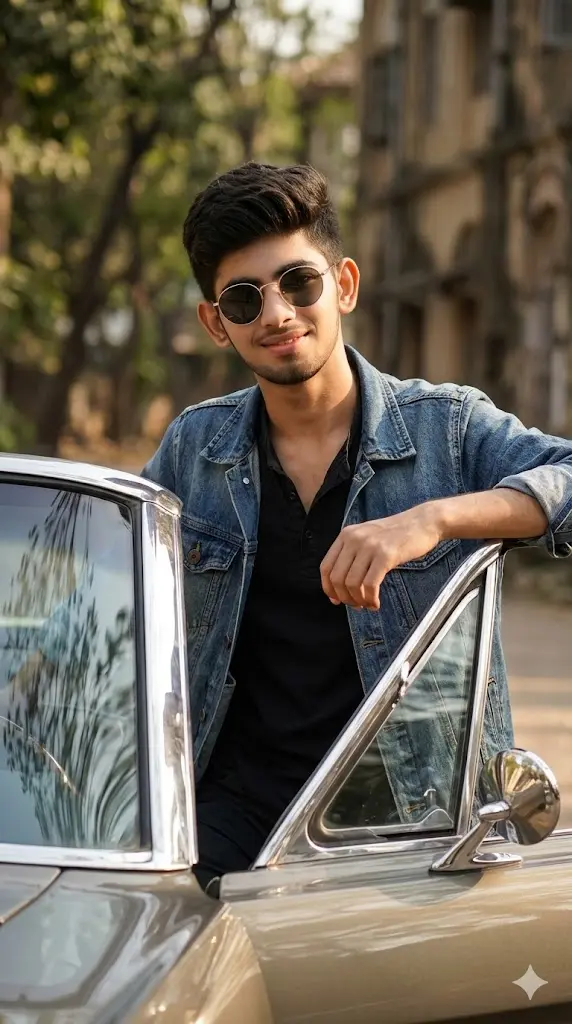
Maintain the exact facial identity of the uploaded user photo and transform the user into a hyper-realistic cinematic portrait leaning casually against an open vintage car door. The user wears a retro-inspired outfit with sunglasses, creating a stylish timeless look. Warm sunlight reflects off the car surface and illuminates the face naturally. Background includes a softly blurred outdoor environment. The user looks confidently toward the camera with a relaxed expression. Ultra-realistic reflections, textures, and cinematic lighting enhance the overall scene. Aspect ratio 9:16.
Minimal Blue Luxury Portrait Prompt

Transform the uploaded user photo into an ultra realistic luxury cinematic portrait poster while preserving the user’s exact identity perfectly including facial structure, hairstyle, beard details, skin texture, jawline, and expression with 100% facial accuracy.Create a clean minimal composition where: • The user appears in side profile looking toward the left• Outfit should be elegant dark navy formal wear with soft luxury textures• Background must contain giant vertical gradient typography spelling “VITAL” using tall premium serif letters fading from gold into deep blue• Add subtle geometric line graphics and luxury editorial symbols on the right side• Include tiny cinematic typography at the bottom: “The quiet strength of the deep blue.”• Use smooth luxury gradient blending from warm gold to dark navy blueLighting: • Moody cinematic side lighting• Soft luxury shadows• High detail skin texture• Elegant dark atmosphere• Premium magazine contrastStyle: • Luxury fashion editorial• Minimal premium branding• Modern masculine portrait• Deep blue cinematic mood• High end perfume campaign aestheticAspect ratio 3:4, ultra realistic, luxury cinematic portrait, premium editorial quality.Add “geminiaiprompt.online” as a small watermark at the bottom-left corner, thin elegant cursive strokes, soft white color, subtle premium handwritten signature style, slight transparency, blends naturally into the image.
Vertical collage design

A vertical collage design. The background consists of four stacked horizontal rounded rectangles.165Inside these panels are black-and-white cinematic shots of me (use the uploaded image for 100% facial accuracy), featuring with dark, slightly messy hair and stylish sunglasses in various expressive poses.Superimposed in the foreground on the left side is a full-color, high-quality cutout of me. I’m wearing a light green shirt
Urban Raw Collage Editorial Prompt

Transform the uploaded user photo into an ultra realistic urban collage fashion editorial poster while preserving the user’s exact real identity perfectly including face shape, hairstyle, skin texture, beard details, jawline, expression, and body proportions with 100% facial accuracy.Create a gritty collage composition where: • The user sits casually on a concrete block in relaxed urban posture• Outfit includes black bomber jacket, cream t-shirt, black cargos, silver accessories, white sneakers, and luxury watch• Background should feature layered torn paper textures, ripped posters, newspaper collage fragments, city architecture graphics, and distressed urban textures• Main headline typography behind the subject should say “URBAN” in huge black distressed font• Add supporting text: “RAW.” “CITY DREAMS. REAL MOVES.” “NO PLANS JUST PROGRESS” • Add red-orange paper strips and black ink textures around the composition• Keep realistic torn paper edges and textured collage layeringLighting: • Soft cinematic daylight• Editorial shadows• Neutral earthy tones• Matte urban color grading• DSLR realismStyle: • Urban editorial collage• Modern street fashion magazine• Distressed paper poster• Raw city aesthetic• High texture graphic compositionAspect ratio 3:4, ultra realistic, premium collage poster style.Add “geminiaiprompt.online” as a small watermark at the bottom-left corner, thin elegant cursive strokes, soft white color, subtle premium handwritten signature style, slight transparency, blends naturally into the image.
Illustrated Water Effects

Create an ultra-realistic photo edit with dynamic illustrated water effects wrapped around the subject. subject head to toe visible. Subject: Use uploaded face exactly – 100% facial accuracy. Do NOT change facial structure. Preserve natural skin tone. Real skin texture visible. No smoothing. No artificial glow. No reshaping. Subject must remain fully photorealistic and untouched. Pose: Standing casual street pose. Head slightly tilted downword. One hand adjusting the cap brim.
Shadow Wall Contrast Portrait
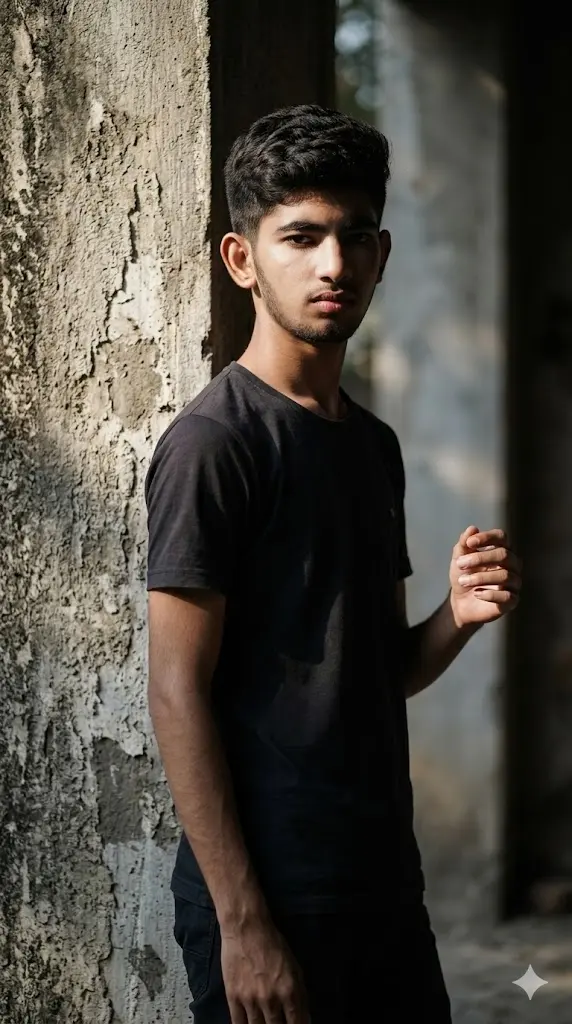
Maintain the exact facial identity of the uploaded user photo and transform the user into a hyper-realistic full body cinematic portrait standing near a textured wall with strong directional lighting casting dramatic shadows. The user wears a minimal outfit, focusing attention on facial features and lighting contrast. Shadows fall across half the face creating a bold artistic look. The user looks directly at the camera with a serious expression. Background remains simple but textured, enhancing depth and realism. Ultra-realistic skin texture, high contrast lighting, and cinematic composition. Aspect ratio 9:16.
Rooftop Wind Hero
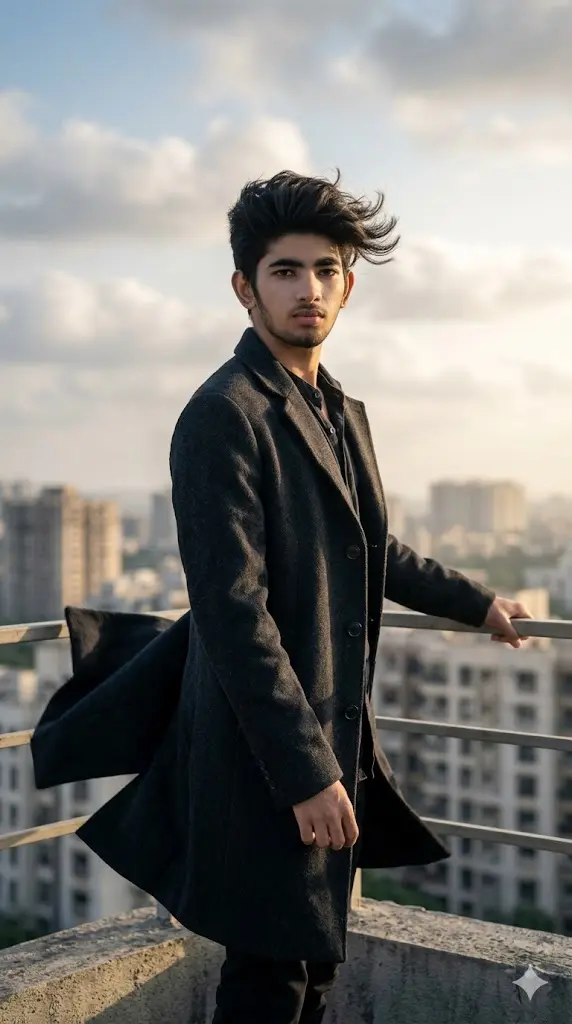
Maintain the exact facial identity of the uploaded user photo and transform the user into a hyper-realistic cinematic portrait standing on a high rooftop during strong wind conditions. The user wears a long coat flowing dramatically in the wind, hair moving naturally with the breeze. The skyline behind is slightly blurred with soft clouds and natural light. The user stands confidently facing the camera with a powerful calm expression. Wind adds motion realism to clothing and environment. Lighting is soft yet dramatic with subtle shadows highlighting facial structure. Ultra-realistic textures, cinematic composition, and depth of field. Aspect ratio 9:16.
Café Window Aesthetic
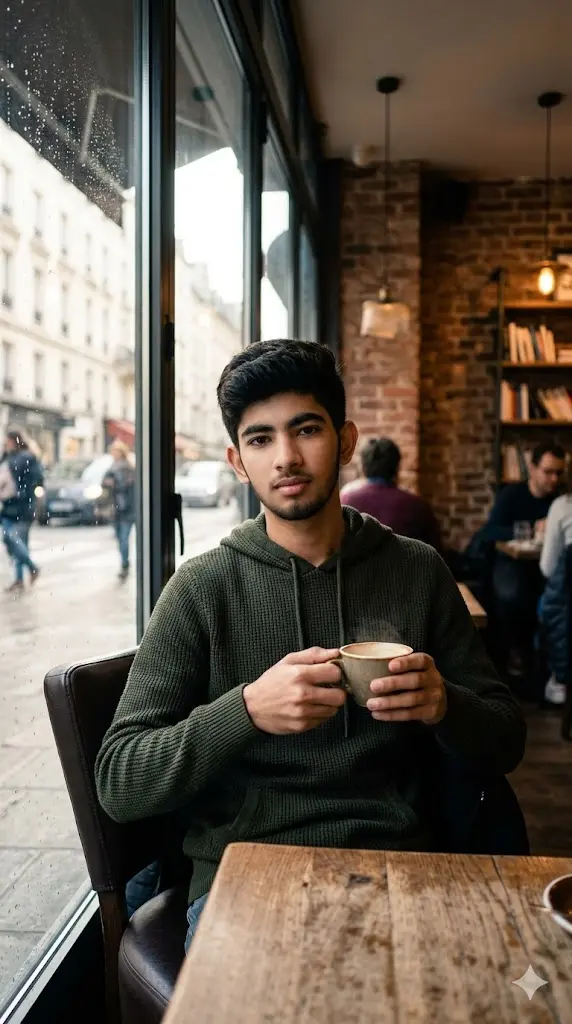
Maintain the exact facial identity of the uploaded user photo and transform the user into a hyper-realistic full body portrait sitting inside a cozy café near a large glass window. The user wears a casual hoodie or sweater, holding a coffee cup while soft daylight filters through the glass. Outside, the street is blurred with subtle movement creating a natural urban feel. Warm interior tones contrast with cooler outdoor lighting. The user looks calmly toward the camera with a relaxed expression. Reflections on the glass and soft shadows create depth and realism. Ultra-realistic textures, lighting, and cinematic mood. Aspect ratio 9:16.
Metro Platform Urban Portrait
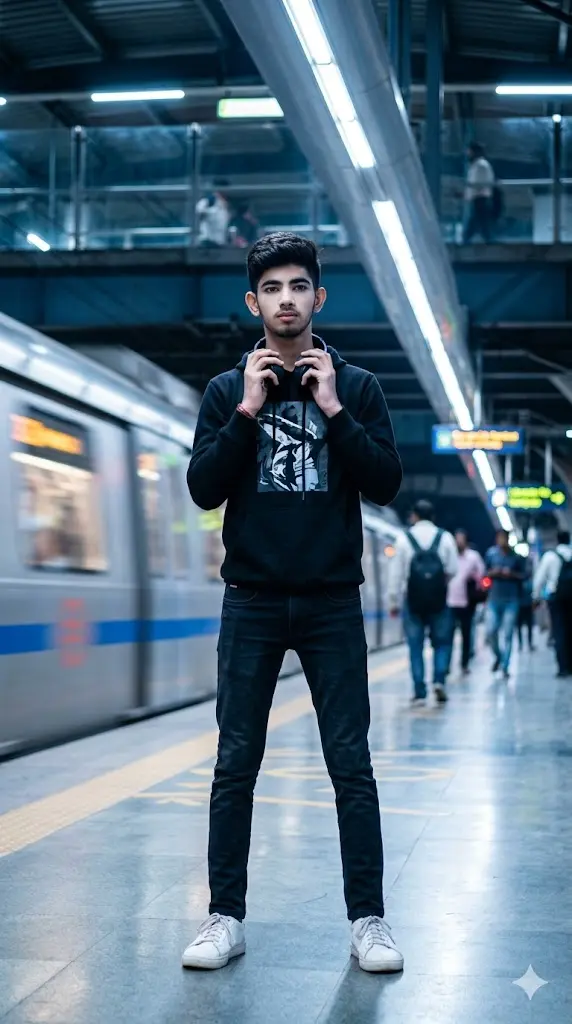
Maintain the exact facial identity of the uploaded user photo and transform the user into a hyper-realistic full body portrait standing on a modern metro platform. The user wears a casual urban outfit with headphones, reflecting a modern lifestyle vibe. Background includes blurred trains and motion lights creating depth and movement. Cool-toned lighting reflects subtly on the face and surroundings. The user looks toward the camera with a calm confident expression. Realistic depth of field and lighting create realism. Ultra-realistic textures and motion environment. Aspect ratio 9:16.
Foggy Field Lonely Portrait
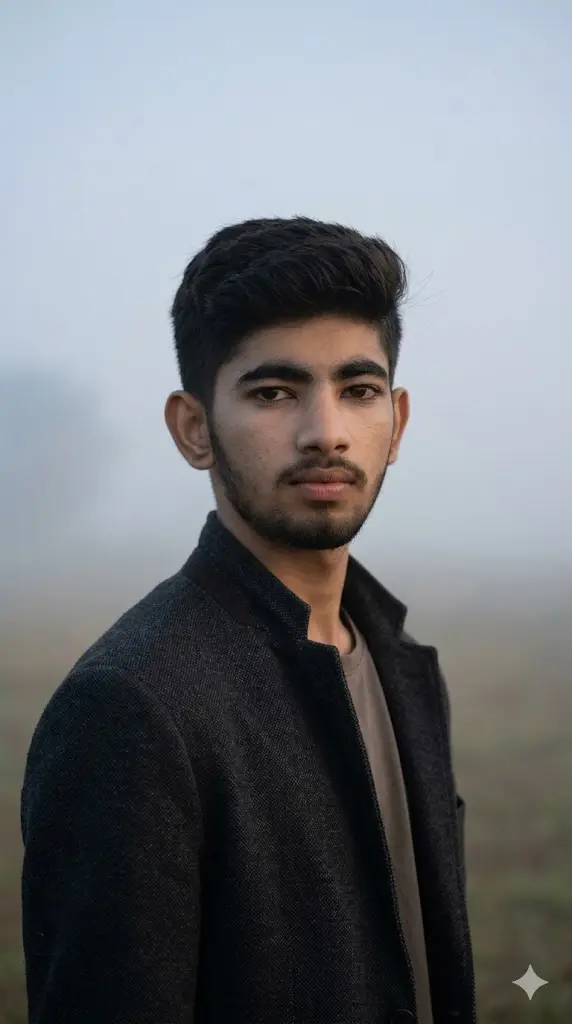
Maintain the exact facial identity of the uploaded user photo and transform the user into a hyper-realistic cinematic portrait standing alone in a fog-covered open field. The user wears a simple neutral outfit, creating a calm and mysterious vibe. Dense fog surrounds the environment, softening the background while natural light gently illuminates the face. The user looks directly toward the camera with a calm, introspective expression. Subtle wind moves clothing slightly. Ultra-realistic atmospheric depth, soft lighting, and detailed skin textures. Aspect ratio 9:16.
How These Prompts Actually Work (Simple Breakdown)
Understand this once, and you’ll never struggle with prompts again:
- Your photo = base identity (face, expression, structure)
- The prompt = environment + lighting + styling + mood
- “Maintain the exact facial identity of the uploaded user photo and transform the user” = keeps your real face unchanged
👉 Result: A transformed image that looks different, but still 100% you
Change the Mood of the Image
You can control the vibe just by changing a few words:
- “moody lighting” → dark cinematic feel
- “soft warm light” → cozy aesthetic look
- “high contrast lighting” → bold attitude portrait
Change the Location / Background
Replace the environment inside the prompt:
- “library” → “luxury hotel lobby”
- “metro station” → “airport terminal”
- “field” → “snow mountains”
Change Outfit & Style
Outfit defines personality — just swap it:
- “casual hoodie” → “formal suit”
- “gym outfit” → “streetwear fashion”
- “minimal outfit” → “celebrity-style clothing”
Control Lighting Like a Pro
Lighting = everything in AI images:
- “soft natural light” → realistic everyday look
- “dramatic spotlight” → cinematic portrait
- “neon lighting” → modern trendy vibe
Mistakes That Ruin the Result
Avoid these if you want premium outputs:
- Using blurred or low-quality photos
- Removing first line instruction
- Over-editing the prompt too much
- Using too many conflicting styles in one prompt
How to Make Your AI Photos Look Viral
If your goal is DP / Instagram / reels, follow this:
- Keep face clear and sharp
- Use cinematic lighting prompts
- Choose simple but powerful backgrounds
- Add a confident expression
👉 Clean + bold images perform best.
Pro Tip Section
If you want next-level results:
- Run the same prompt 2–3 times (AI gives variations)
- Slightly tweak words like “lighting”, “expression”, “angle”
- Try different photos with same prompt
👉 This gives you multiple high-quality options instantly